> ## Documentation Index
> Fetch the complete documentation index at: https://docs.inference.net/llms.txt
> Use this file to discover all available pages before exploring further.
# Monitor a Training Run
> Track training progress with real-time graphs, eval scores, and GPU logs.
Once a training job starts, the training details page gives you real-time visibility into what's happening. A progress bar shows percentage complete and the current status of the run.
## Training graphs
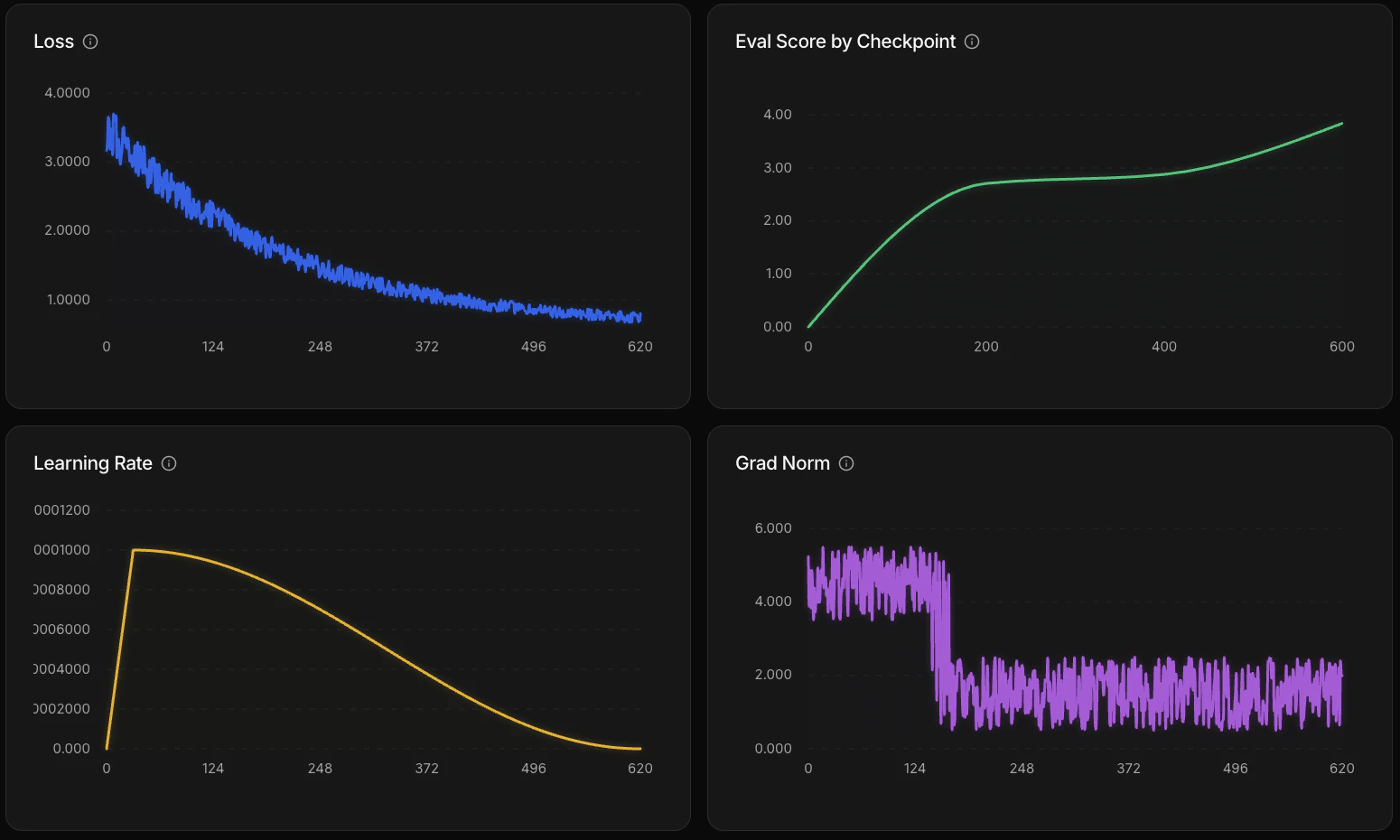
Four graphs update as training progresses:
| Graph | What it measures | What to look for |
| ----------------- | -------------------------------------------------------- | ------------------------------------------------------------------------------------------------------- |
| **Loss** | How far the model's predictions are from expected output | Decreasing = learning. Flattening = model has learned what it can from the data. |
| **Learning rate** | How much weights update at each training step | Warm-up then decay schedule — configured by the recipe automatically. |
| **Gradient norm** | Gradient magnitude during backpropagation | Steady or decreasing = stable. Persistent spikes may indicate a data quality issue. |
| **Eval score** | Average score on the eval dataset at each checkpoint | Trending up = model is improving at your task. This is the most direct signal that training is working. |
 ## Evaluations
The platform runs evaluations at three points during a training job:
1. **Before training** — establishes a baseline score for the model before any weight updates
2. **During training** — at each checkpoint, the model runs your eval dataset and an LLM judge scores the outputs using your rubric
3. **After training** — a final evaluation on the completed model
## Checkpoints
Training saves checkpoints at regular intervals. If a run fails after a checkpoint, it can be resumed from the last saved state rather than starting over.
## Logs
The **Logs** tab shows output from all GPUs during training. Use it to debug issues or see what's happening under the hood. You can filter logs by type — `warn`, `error`, and others — to focus on what matters.
## Evaluations
The platform runs evaluations at three points during a training job:
1. **Before training** — establishes a baseline score for the model before any weight updates
2. **During training** — at each checkpoint, the model runs your eval dataset and an LLM judge scores the outputs using your rubric
3. **After training** — a final evaluation on the completed model
## Checkpoints
Training saves checkpoints at regular intervals. If a run fails after a checkpoint, it can be resumed from the last saved state rather than starting over.
## Logs
The **Logs** tab shows output from all GPUs during training. Use it to debug issues or see what's happening under the hood. You can filter logs by type — `warn`, `error`, and others — to focus on what matters.