> ## Documentation Index
> Fetch the complete documentation index at: https://docs.inference.net/llms.txt
> Use this file to discover all available pages before exploring further.
# Run a Model Comparison
> Run your eval dataset through multiple models and score the outputs against your rubric.
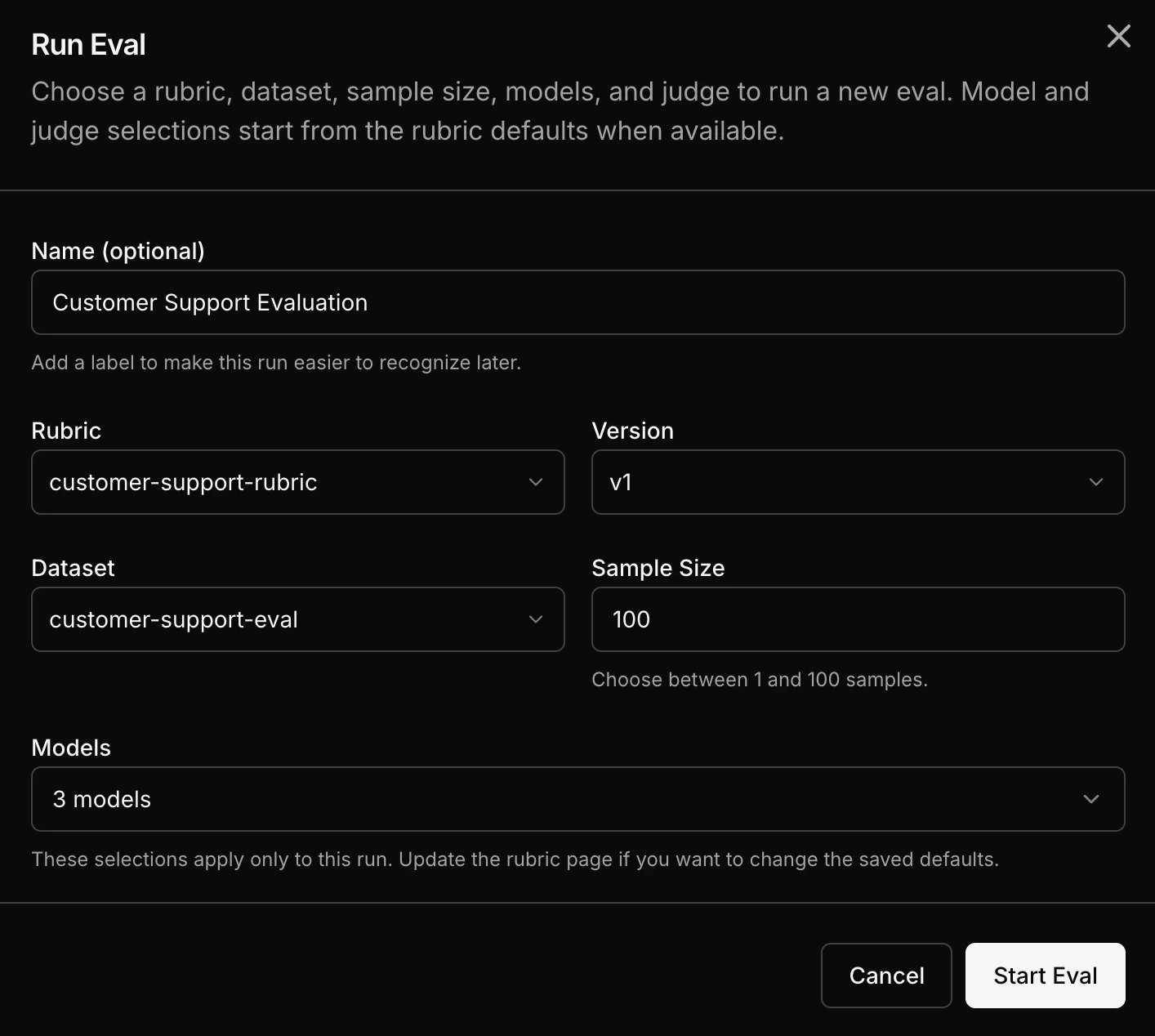
Pick a rubric, pick a dataset, pick models, and run. Catalyst handles execution and scoring.
## Step by step
Choose the [rubric](/platform/eval/write-a-rubric) that defines your quality criteria.
Choose the dataset containing your evaluation samples. This can come from [captured traffic](/platform/datasets/build-from-traffic) or a [JSONL upload](/platform/datasets/upload-a-dataset).
Pick one or more models to evaluate. You can choose from a wide range of models including OpenAI, Anthropic, open-source, or your own custom trained models.
Each sample from the dataset runs through each selected model. Each output gets scored by the [LLM judge](/platform/eval/llm-as-a-judge) using your rubric.
 ## How the math works
The eval is a cross-product of samples and models:
* 10 samples across 3 models = 30 inference outputs
* Each output gets scored = 30 judge calls
* Results: per-sample scores for every model
## Next steps
Once the eval completes, go to [Read the Results](/platform/eval/read-the-results) to interpret the comparison view.
## How the math works
The eval is a cross-product of samples and models:
* 10 samples across 3 models = 30 inference outputs
* Each output gets scored = 30 judge calls
* Results: per-sample scores for every model
## Next steps
Once the eval completes, go to [Read the Results](/platform/eval/read-the-results) to interpret the comparison view.