> ## Documentation Index
> Fetch the complete documentation index at: https://docs.inference.net/llms.txt
> Use this file to discover all available pages before exploring further.
# Compare Models with Auto Evals
Auto Evals answer one question: is there a better model for your workload than the one you run today? Catalyst samples your recent production traffic, replays each sample against a set of candidate models, scores every output with LLM judges, and recommends a model with supporting evidence. You do not build a dataset, write a rubric, or configure a judge.
In the dashboard, Auto Evals live on the **Compare Models** tab of each task and agent.
This guide takes you from integration to your first completed comparison.
## Before you start
Auto Evals run on your real traffic, so Catalyst needs to see that traffic first. Integrate one of these:
* **Gateway.** Route your LLM calls through the Catalyst Gateway. Requests are recorded and grouped into [tasks](/platform/gateway/tasks). Follow [Record Your First LLM Call](/get-started/record-first-call).
* **Tracing.** Report traces from your app with the tracing SDK. LLM calls are grouped under agents. Follow [Capture Your First Trace](/get-started/capture-first-trace).
Either path works. A comparison is always scoped to one task or one agent, and it samples that scope's traffic from a time window you pick. The more traffic in the window, the more representative the sample, so let your app run normally for a while before you compare.
## Run your first comparison
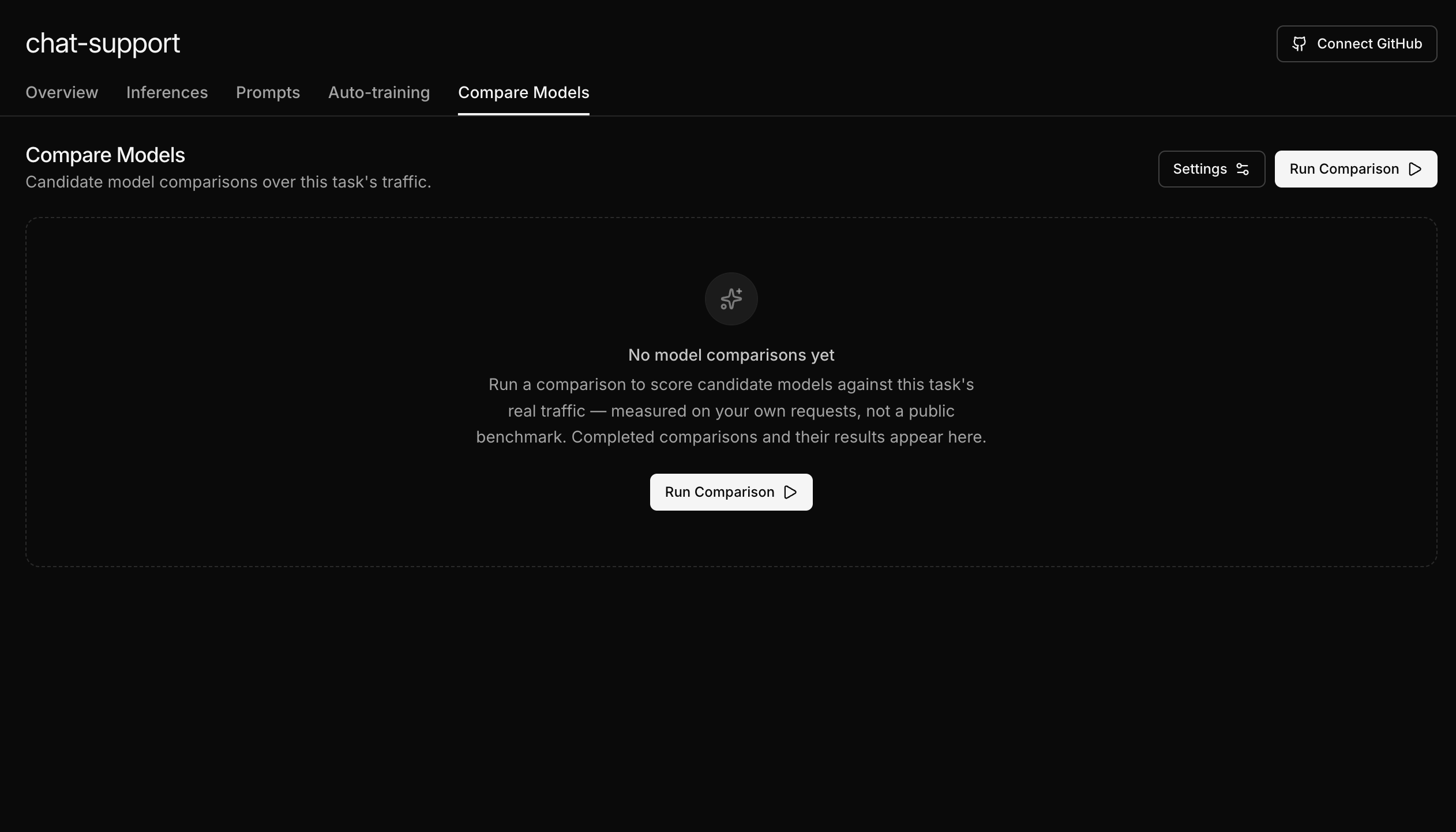
For Gateway traffic: go to **Gateway → Tasks**, open your task, and select the **Compare Models** tab. If your requests do not set a task ID, they are grouped under the **Default** task.
For traced apps: go to **Agents**, open your agent, and select the **Compare Models** tab.
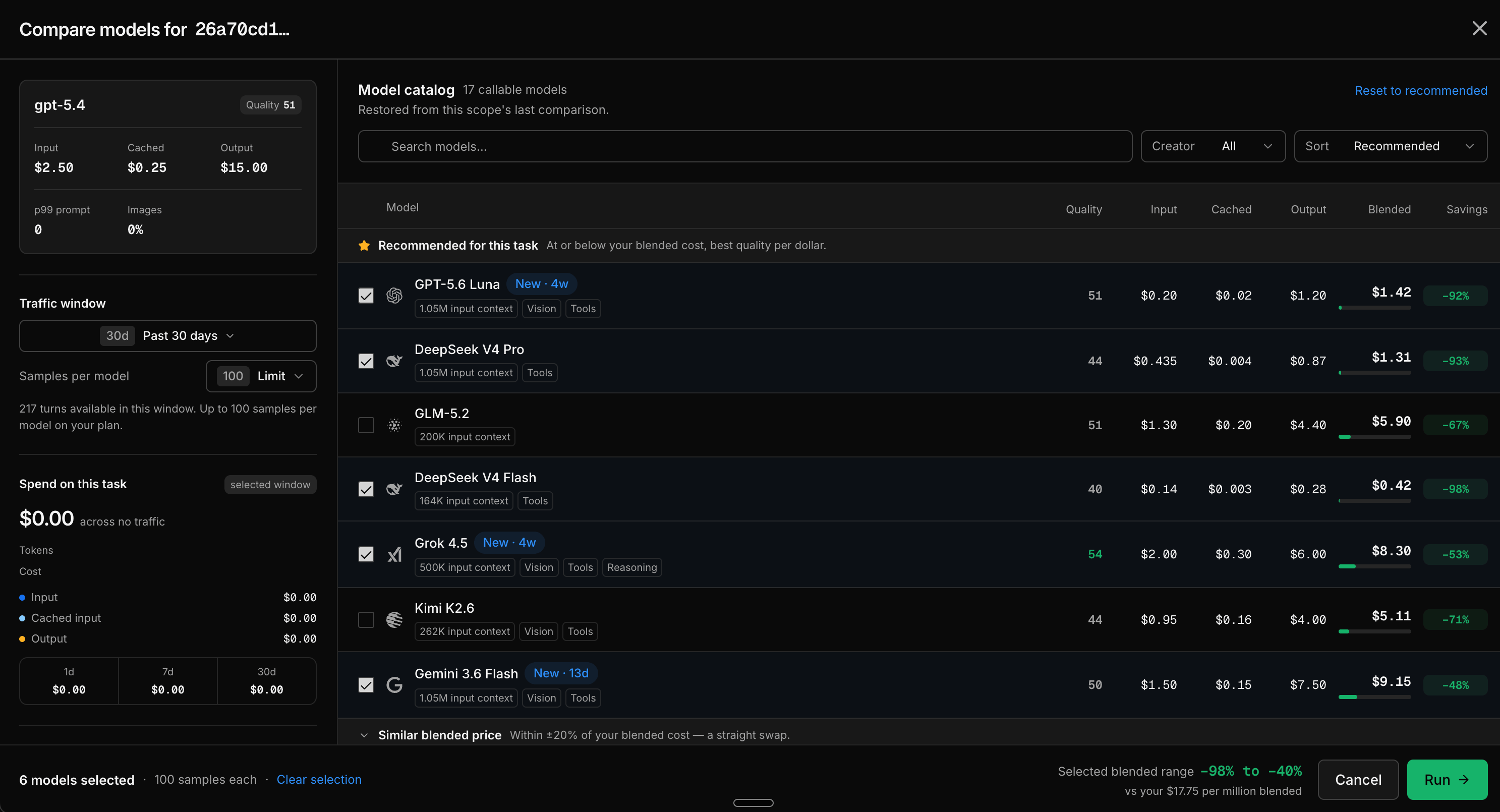
Click **Run Comparison**. The comparison dialog opens with sensible defaults: a 30 day traffic window, 100 samples per model, and the models recommended for your task pre-selected in the model catalog. For a first run, keep the defaults and click **Run**.
The dialog also shows your recent spend on this task and how each candidate's blended price compares to your current model, and warns you if the run would exceed your team's daily eval limit.
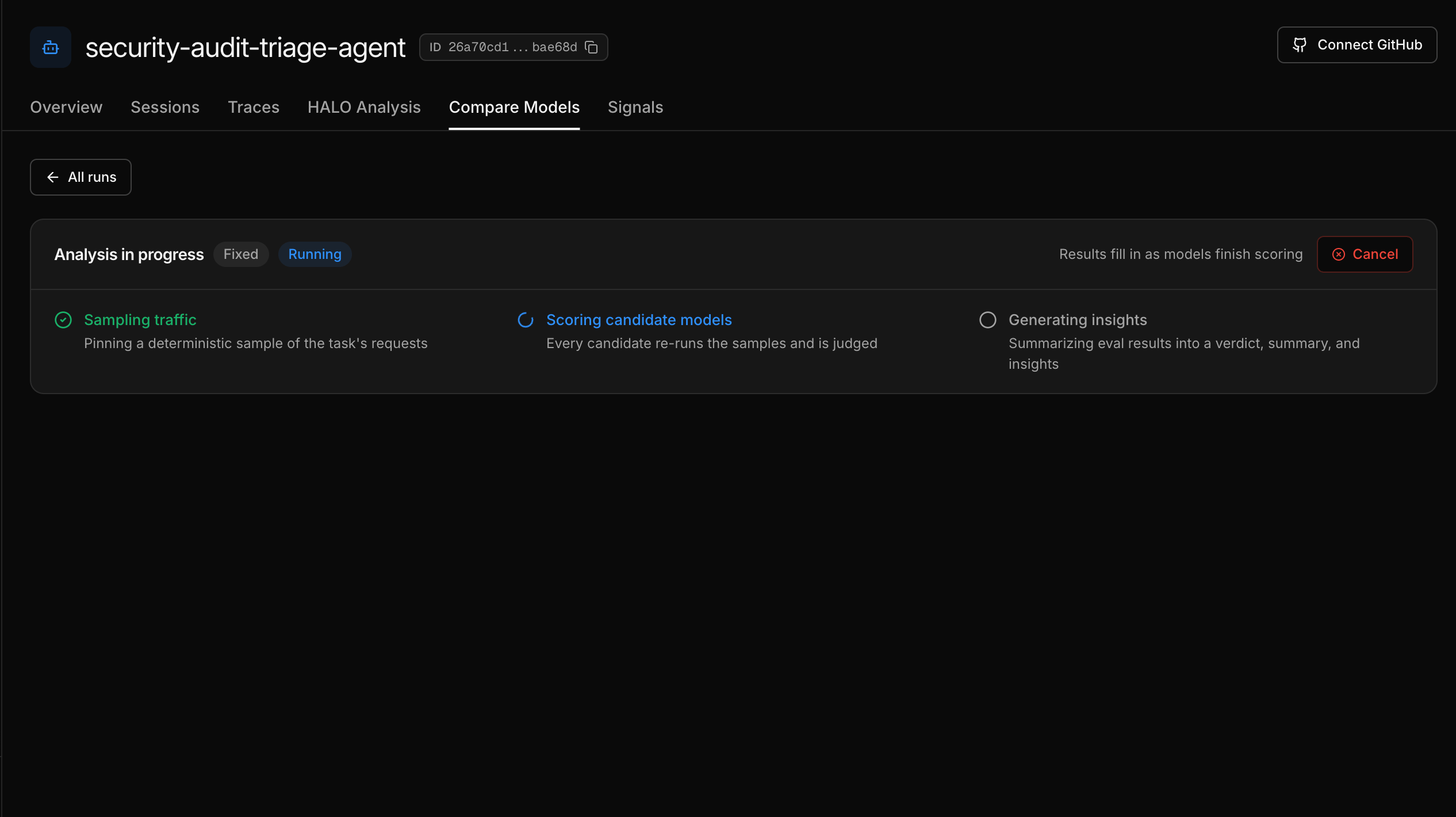
The run report opens immediately and fills in as the run progresses through three stages:
1. **Sampling traffic** - Catalyst pins a deterministic sample of your requests.
2. **Scoring candidate models** - every candidate re-runs the samples and is judged.
3. **Generating insights** - the scored results are summarized into a verdict and findings.
Results fill in as each model finishes scoring. You can cancel a run at any time.
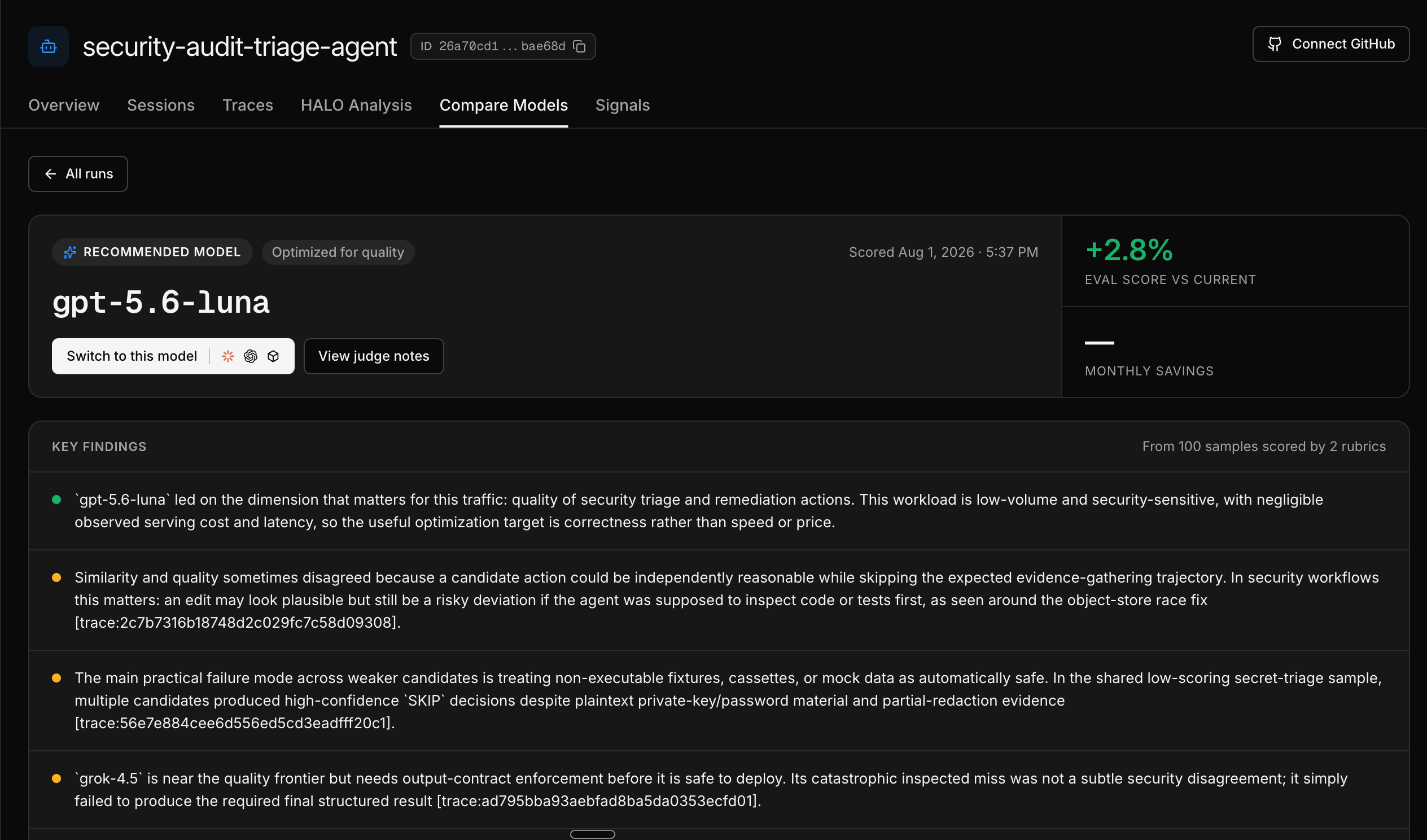
When the run completes, the report leads with a verdict: switch to a specific model, or keep your current one. Below it you get the estimated monthly savings, key findings from the judged samples, a quality versus cost chart, and a leaderboard that ranks every candidate against your current model on quality, similarity, latency, and price.
From the leaderboard, open the **Sample Viewer** to read individual model outputs side by side with the judge's reasoning.
## What you just learned
* Auto Evals measure candidate models on your own production traffic, not a public benchmark
* A run needs no dataset or rubric: Catalyst samples your traffic and scores it with two fixed rubrics, quality and similarity
* The result is a concrete recommendation with evidence you can inspect down to the individual sample
## Next steps
The full reference for starting runs: configuration, sampling, scoring, and limits.
Read the run report and drill into judged samples.
Measure a quality dimension specific to your product with a Direct Eval.
Compare models on a curated dataset with your own rubric.
 The dialog also shows your recent spend on this task and how each candidate's blended price compares to your current model, and warns you if the run would exceed your team's daily eval limit.
 From the leaderboard, open the **Sample Viewer** to read individual model outputs side by side with the judge's reasoning.